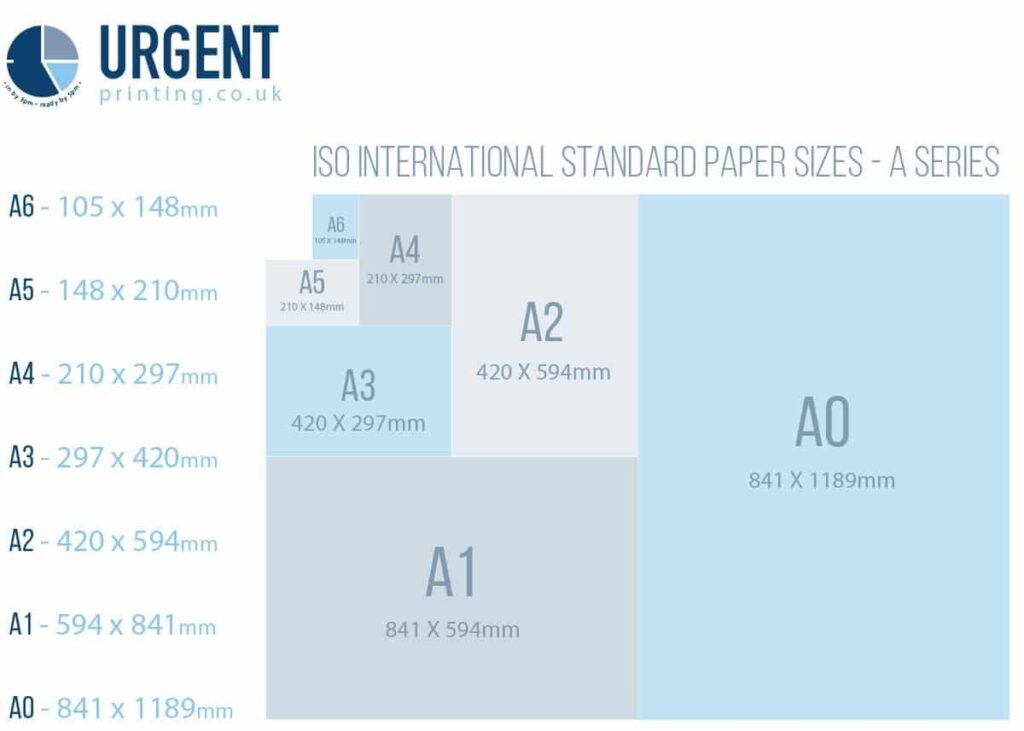
A4 Posters (210 x 297 mm / 8.3 x 11.7 inches):
- Perfect for Small Spaces: These posters are compact and ideal for bulletin boards, shop windows, or handing out as flyers.
- Detail-Oriented: They allow for close-up viewing, so you can incorporate intricate details, fine text, or smaller graphics.
- Cost-Effective: Printing in A4 is economical.
- Best Use: Perfect for personal promotions, events, or professional notices in a tidy, clean format.
A3 Posters (297 x 420 mm / 11.7 x 16.5 inches):
- Increased Visual Impact: With double the surface area of A4, A3 posters are more eye-catching and suitable for larger or busier designs.
- Versatile Placement: Great for walls, shop fronts, or community boards where visibility from a distance is crucial.
- Larger Content Capacity: Accommodates bold images, larger fonts, or multiple elements without appearing cluttered.
- Best Use: Ideal for advertisements, events, and displays where grabbing attention quickly matters.
Paper Posters:
- Material: Made from thinner paper, typically in weights like 120–160 gsm.
- Flexibility: Lightweight and easy to roll, making them convenient for transportation and temporary use.
- Cost-Effective: affordable, suitable for mass production and short-term advertising.
- Best Use: Great for quick promotions, indoor advertising, or when framed or mounted for display.
How to Set Up Bleed in Your File:
- Use Design Software: Programs like Adobe Illustrator, InDesign, or Canva allow you to add bleed areas.
- Extend Design Elements: Stretch your background, colors, or images beyond the trim line into the bleed area.
- Export Correctly: Save your file with bleed settings enabled, usually as a high-resolution PDF, and mark crop lines
Standard Bleed Size: Typically, p bleed area of 3–5 mm around the edges.
If your print is a bespoke size please email us at [email protected] with your requirements