

Booklet and Brochure Printing and Binding

Essential Guide for Professional Booklet and Brochure Printing and Binding
When it comes to presenting information in a structured and engaging way, booklets and brochures remain some of the most effective print materials available. Booklet and brochure printing and binding allow businesses and organisations to showcase their products, services, or events with a professional finish that captures attention and communicates key details clearly. With various options for paper types, sizes, and binding styles, such as wire-bound, perfect bound, or saddle-stitched, there is a solution to suit every project and budget.
Understanding the printing and binding choices is essential for creating a high-quality booklet or brochure that is not only visually appealing but also durable and fit for its intended purpose. The right combination can make a significant difference in how information is delivered and perceived by the reader, whether for marketing, information sharing, or cataloguing.
Understanding Booklet and Brochure Printing
Booklets and brochures serve as essential marketing and informational tools. The ways they are designed, assembled, and printed affect how effectively information is presented to readers.
Types of Booklets and Brochures
Booklets and brochures come in several styles to suit different communication needs. Booklets typically have eight or more printed pages, are folded, and then bound together. Brochures, on the other hand, are often single sheets folded into panels, such as bi-fold or tri-fold designs.
The choice between a booklet or a brochure often depends on the amount of information and the desired layout. Booklets are common for manuals, event programmes, and product catalogues, providing space for detailed content. Brochures are typically used for concise promotional materials, such as sales leaflets or service summaries.
Common Printing Methods
Several printing methods are used for booklets and brochures, each offering different advantages. Digital printing is ideal for smaller runs and fast turnaround times, making it suitable for short-term campaigns or personalised materials. Offset printing is most cost-effective for larger quantities and delivers consistent colour and quality across prints.
Paper quality and finish should also be considered. Glossy coatings enhance images in brochures, while matte or uncoated papers provide a more subdued appearance for booklets with extensive text. Binding methods, such as saddle stitching or perfect binding, influence both durability and the final appearance.
Print providers often require that booklet page counts be in multiples of four, ensuring proper folding and binding. This limitation should be kept in mind when designing the layout.
Choosing Paper and Materials
Selecting appropriate paper stock and finishes can influence both the appearance and structural quality of brochures and booklets. Material choices also affect durability, cost, and environmental impact, making it essential to balance aesthetics and practicality.
Paper Weights and Finishes
The most common paper weights for brochures and booklets are 120gsm and 150gsm, with the former providing flexibility and the latter offering a more premium feel. For covers, stocks of 250gsm and higher are often used to add rigidity while ensuring the inside pages remain easy to turn.
Different finishes, such as silk and uncoated, change the visual impression and tactile experience. Silk paper presents a smooth surface with reduced shine, ideal for showcasing images and graphics. Uncoated paper has a matte texture, making it easier to write on and often more suitable for text-heavy booklets.
Eco-Friendly Printing Options
Many print services now offer recycled or FSC-certified stock for clients seeking an environmentally responsible option. Recycled papers are made from post-consumer waste, reducing the demand for virgin fibres. FSC-certified papers ensure fibres are sourced from sustainably managed forests.
Vegetable-based inks and waterless printing processes can further reduce environmental impact. These inks are less polluting and decompose more easily than petroleum alternatives.
Choosing lighter weights and local suppliers can lower the carbon footprint, especially for large print runs. When possible, clients should ask their printer for proofs of certification or specific details about recycled content and processes to verify eco claims.
Binding Techniques for Booklets and Brochures
Booklets and brochures rely on suitable binding methods not just for durability but also for appearance and usability. Each binding type offers specific advantages considering page count, intended use, and overall production cost.
Saddle Stitching
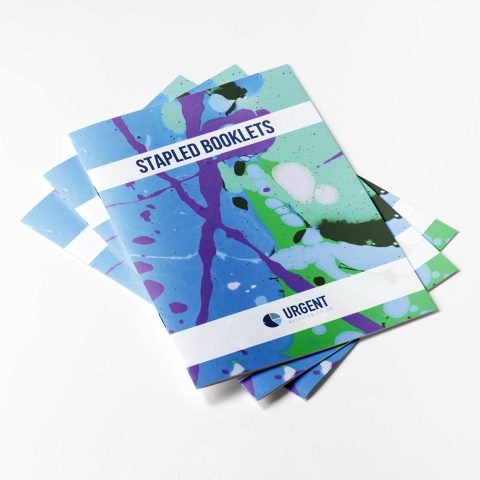
Saddle stitching, also known as stapled binding, uses metal staples to secure printed sheets along the fold line. This method works best for booklets with a lower page count, generally between 8 to 64 pages, depending on paper thickness.
It is a cost-effective choice, making it popular for event programmes, catalogues, and marketing brochures. The finished booklet opens flat, which improves readability and the user experience, especially for layouts that cross over two pages.
However, saddle stitching is unsuitable for thick publications as the spine cannot hold a large number of sheets securely. The process offers quick turnaround and works well for short print runs.
Key Points:
- Best for thin booklets
- Economical and efficient
- Opens flat on a surface
Perfect Binding
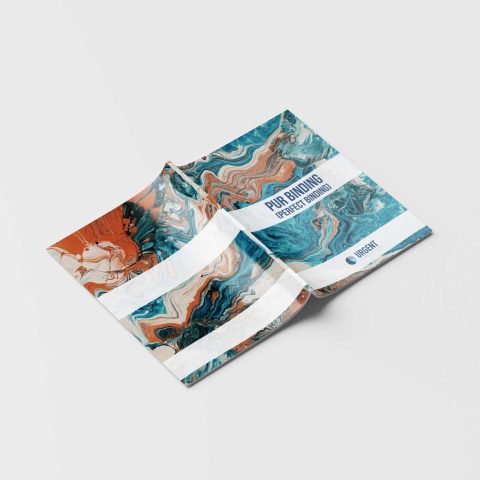
Perfect binding uses a strong adhesive to glue pages and cover together at the spine. Unlike saddle stitching, it creates a square, professional-looking edge and is often used for thicker booklets and magazines.
This technique is recommended for brochures and catalogues with a higher page count, usually starting from 40 pages up to several hundred. The finished product looks polished and is suitable for products that need to impress or contain significant information.
Perfect binding allows for printing on the spine, adding an extra element for branding or titles. Pages do not lay completely flat when opened, which could affect designs that span both pages.
Key Points:
- Ideal for substantial documents
- Square spine enables spine printing
- More formal appearance and feel
Wire-O, Thermal and Spiral Binding
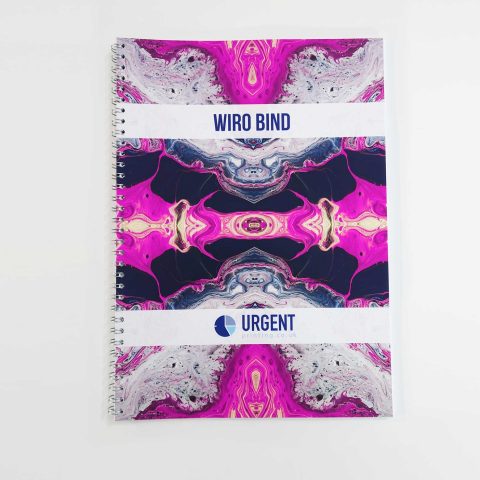
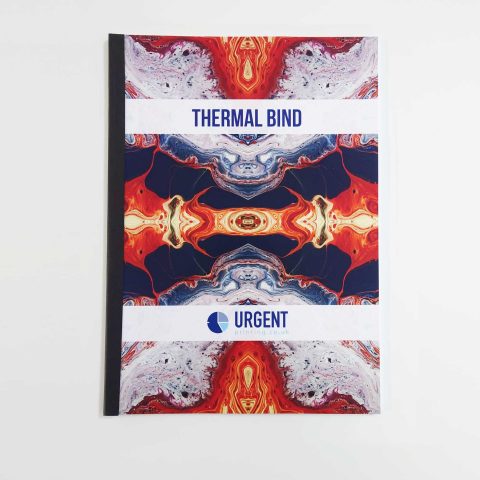
Wire-O and spiral binding both use wire or plastic coils threaded through punched holes along the edge of the booklet. This approach enables pages to turn 360 degrees and lie completely flat, which is highly beneficial for reference guides, handbooks, and manuals.
Wire-O typically uses a double-loop wire, offering extra durability and a more premium finish compared to basic spiral plastic coils. Both binding styles accommodate a wide range of page counts and are particularly good for documents that require frequent handling.
While spiral and wire binding are practical, the exposed spines may be less suited for high-end marketing purposes. The process also allows the inclusion of tabbed dividers or inserts if needed.
Key Points:
- Pages turn and lay completely flat
- Supports various page counts
- Functional for manuals and guides
Design Considerations
Effective booklet and brochure printing depends heavily on thoughtful design choices. Attention to page structure, colour use, and image quality helps ensure the finished product is both attractive and functional.
Layout and Margins
Careful layout decisions determine how information is presented and read. Margins should be set to avoid important content being too close to the edge or lost during binding. Standard safe zones are typically 5-10mm from the trim line, but thicker margins may be necessary for saddle-stitched or perfect-bound booklets.
Consistent alignment across pages makes navigation easier. Using a grid system or baseline grid gives structure, helping sections flow smoothly and text blocks line up evenly. Columns and white space help improve readability without making layouts appear cramped or cluttered.
Key Recommendations:
- Use a minimum 5mm margin
- Apply a grid system for consistency
- Place page numbers clear of binding areas
Colour Management
Printed colour varies depending on process and material, so using a CMYK print colour profile is essential for accurate results. Designers should avoid relying on screen colours, as RGB may not match the printed output. Spot colours can be specified for precise branding but may increase production costs.
Calibrating monitors and using print-ready files, like PDFs with embedded profiles, helps maintain colour integrity. Test prints or colour proofs allow pre-press adjustments. Keeping colours within standard ink limits (total ink coverage of 240-300%) prevents smudging or drying issues during production.
Best Practices:
- Always design in CMYK
- Calibrate devices regularly
- Check print proofs when accuracy is critical
Incorporating Images and Graphics
Images and graphics should be high-resolution, ideally at least 300dpi for print, to avoid pixelation or blurring. Vector graphics, such as logos or illustrations, ensure sharpness at any size, while raster images must not be enlarged beyond their native resolution.
It is vital to check all images are embedded in the design files and are in a suitable colour space (CMYK). Compression should be minimal to preserve clarity. Proper placement and alignment in the layout prevent accidental cropping and preserve key details, especially near the spine or folds.
Quick Reference Table:
|
Element |
Standard |
|
Image Resolution |
300 dpi minimum |
|
Colour Space |
CMYK for print |
|
File Format |
TIFF, EPS, or PNG |
Turnaround Time
Turnaround time is another key consideration. Urgent Printing offer as fast as 4-hour turnaround with same day delivery options. Standard orders are usually dispatched on the same day after artwork approval.
Factors like binding type—whether saddle-stitched, perfect bound, or wire-bound—can also affect production time and cost. Generally, simpler binding methods provide faster and more cost-efficient results.